

There are several ways to authenticate a user and the decision for which one is best for your users can be overwhelming. We have broken our options into 2 categories to help make this decision a little easier on you.
Check out our authentication categories below:
-
Standard Authentication Methods - does not require integration, user or admin creates individual accounts
-
Single Sign-On - integrates with an existing system to allow for a seamless user experience (OAuth, SAML, LTI)
We are here to help you decide which method is best for you and your patrons. If you have any questions at all please do not hesitate to reach out to our support team at help@joyfulreading.com or submit a ticket.
Standard Authentication Methods
User-Managed
User-managed authentication allows you to manually enter or batch upload a .csv file of users you would like to grant access to your Comics Plus website. Individual users can be added, managed, or deleted by the Comics Plus library administrator(s) at any time.
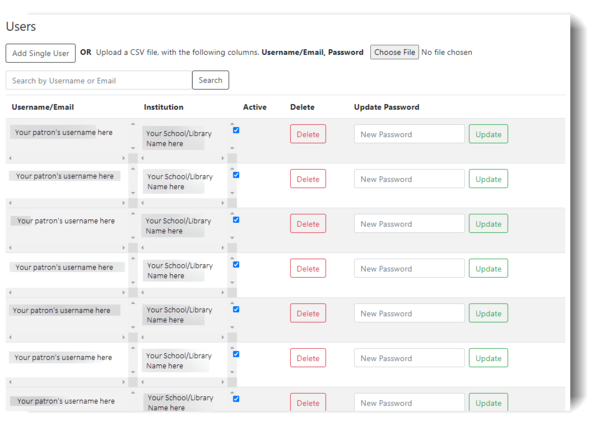 Here is a step-by-step process explaining how to upload and manage user accounts!
How to Manage Your Reader’s Usernames and Passwords
Log In Steps:
The user must access the School/Library's Unique Comics Plus URL to sign up.
If you do not have your school/library's specific URL please contact support at help@joyfulreading.com.
1. From your School/Library's unique Comics Plus URL enter the Username and Password given to you by your school/library.
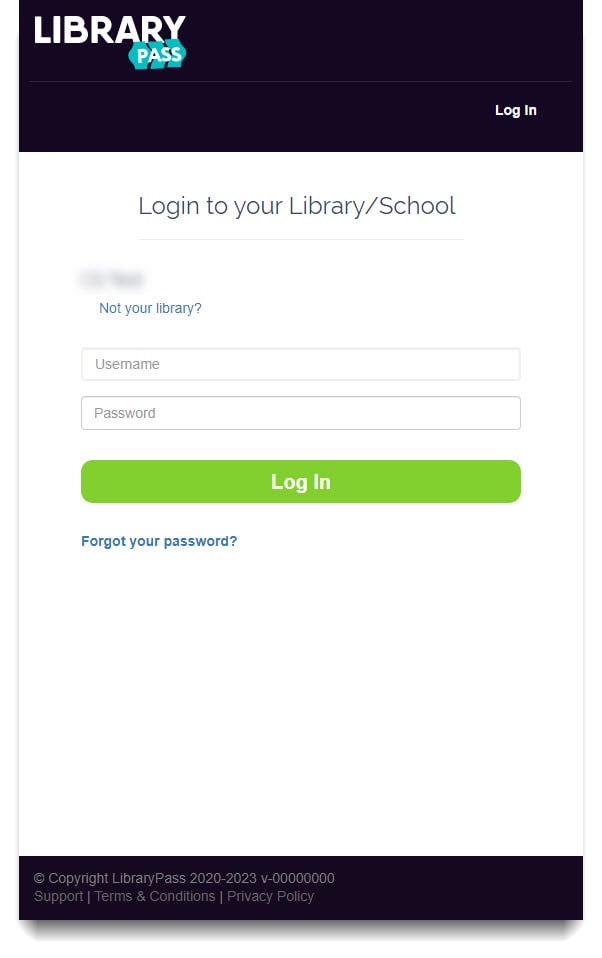
2. You're now logged in and ready to read thousands of Comic Books and Graphic Novels!
Click on the video below to see how to navigate through the collection!
Registration Code
Registration Code allows you to send your School/Library's Comics Plus website URL and unique code out to all staff, students, parents, and/or patrons. Once they enter the code they will be prompted to create their own Comics Plus account with 2 simple fields 1. username and 2. password. This allows students/patrons to be able to log in and sign up from anywhere! Once they create a login they will no longer need to use the registration code.
Log In Steps:
The user must access the School/Library's Unique Comics Plus URL to sign up.
If you do not have your school/library's specific URL please contact support at help@joyfulreading.com.
1. From your School/Library's unique Comics Plus URL - Click on "Sign-Up Now!"
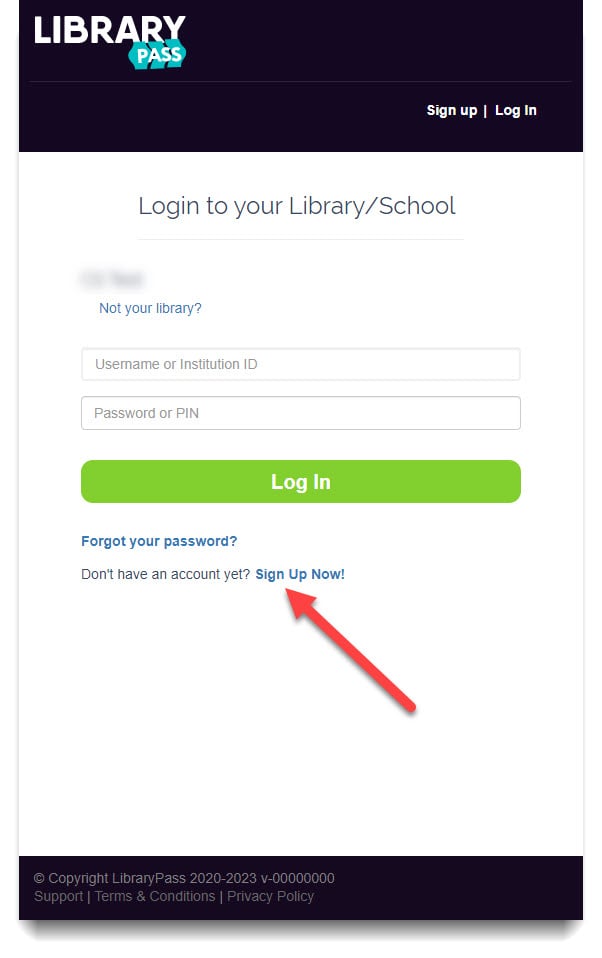
2. From here you should see your School/Library's name and a field to enter a registration code. Enter the correct registration code here, once the correct code is entered, 2 field prompts will appear , enter the email address you want to use as your username and the password you want for the account, click "Sign Up".
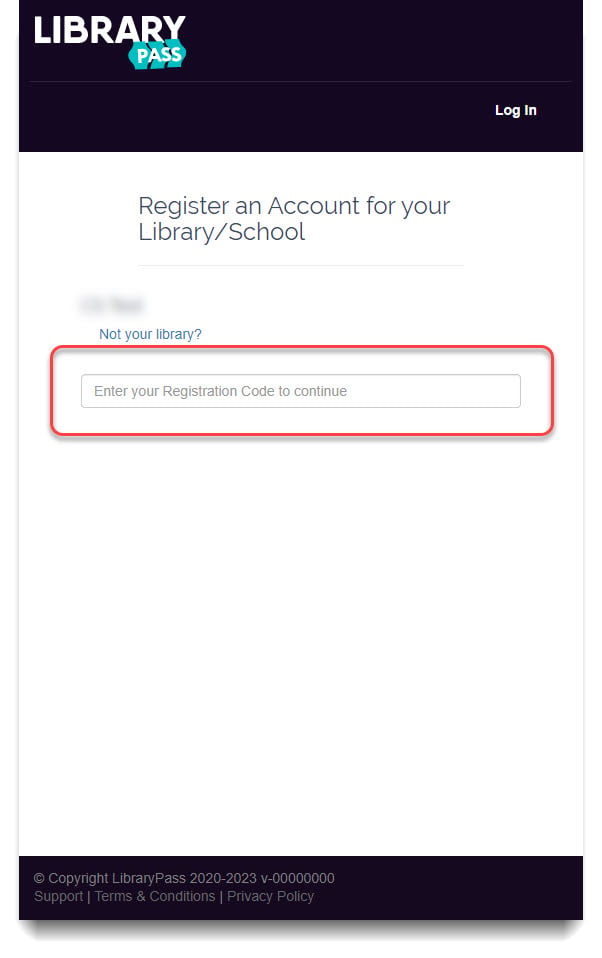
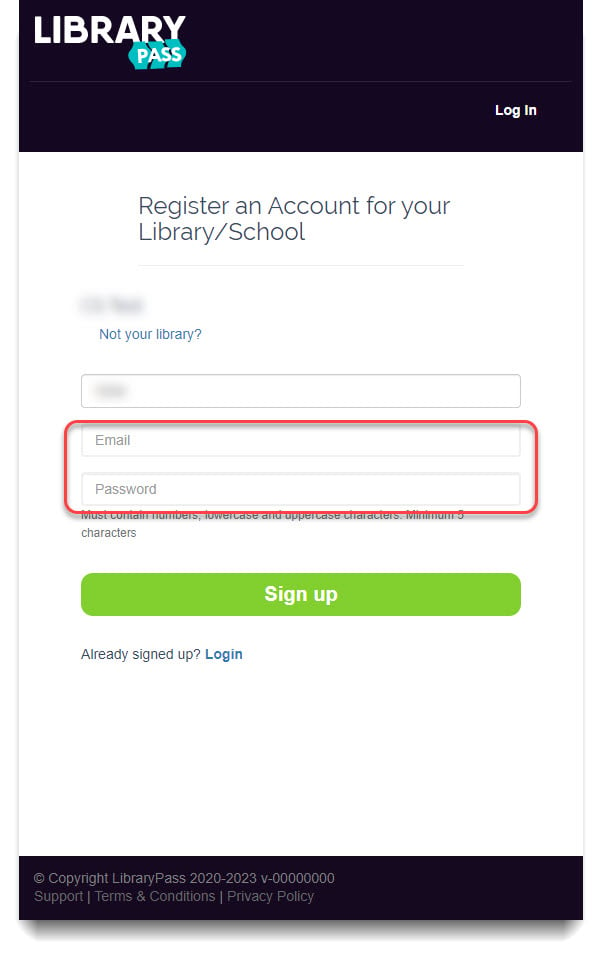
3. You're now logged in and ready to read thousands of Comic Books and Graphic Novels!
Click on the video below to see how to navigate through the collection!
Referrer URL
Schools and libraries can have their Comics Plus URL placed on the inside of a student or patron account. The website they access the school/library Comics Plus account from will be used as the authenticator. The user will then create an account and have access to the collection.
Log In Steps:
The user must access the School/Library's Unique Comics Plus URL to sign up.
If you do not have your school/library's specific URL please contact support at help@joyfulreading.com.
1. From your School/Library's unique Comics Plus URL - Click on "Sign-Up Now!"
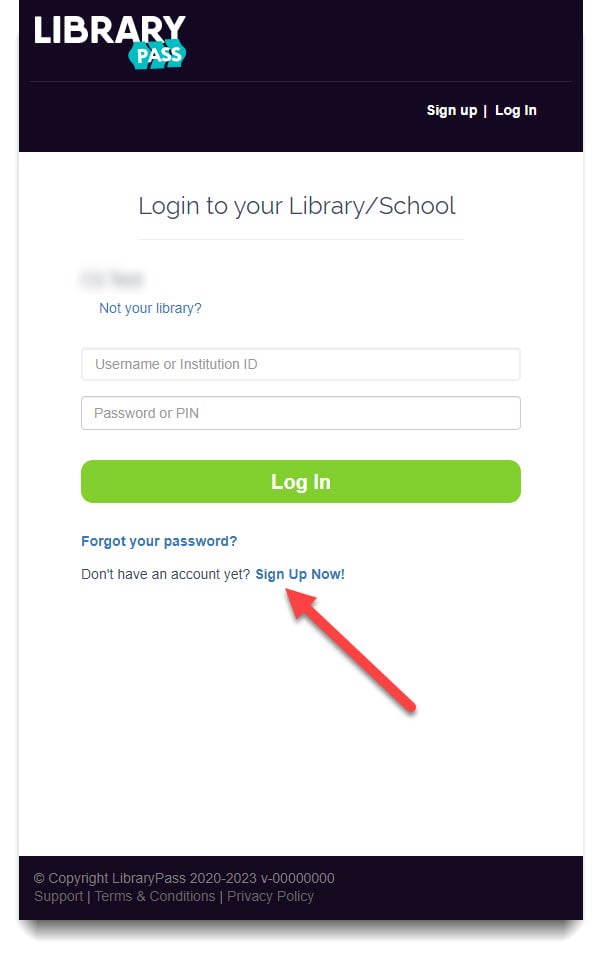
2. Enter a username and password to create the account, and you are now logged in and ready to read thousands of Comic Books and Graphic Novels!
Click on the video below to see how to navigate through the collection!
IP Authentication
IP Authentication allows the school or library to authenticate using their IP Addresses.
Log In Steps:
The user must access the School/Library's Unique Comics Plus URL to sign up.
If you do not have your school/library's specific URL please contact support at help@joyfulreading.com.
1. You must access Comics Plus while onsite at your School/Library to create an account.
From your School/Library's unique Comics Plus URL - Click on "Sign-Up Now!"
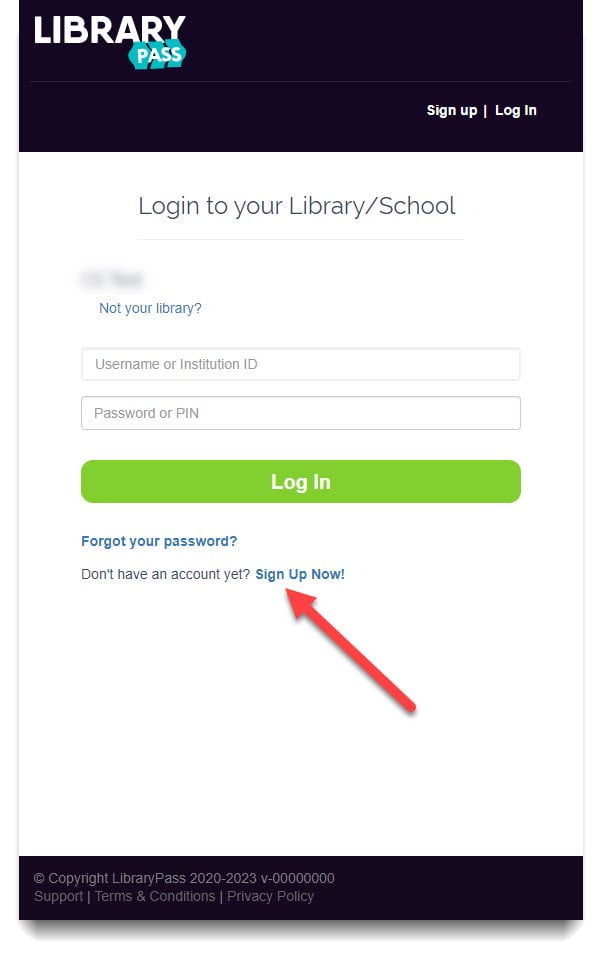
2. Enter a username and password to create your account.
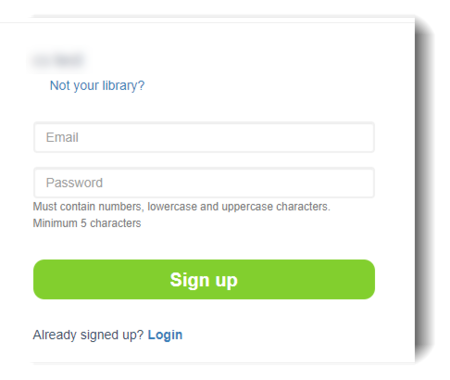
3. You are now logged in and ready to read thousands of Comic Books and Graphic Novels!
Click on the video below to see how to navigate through the collection!
Single Sign-On
Google OAuth
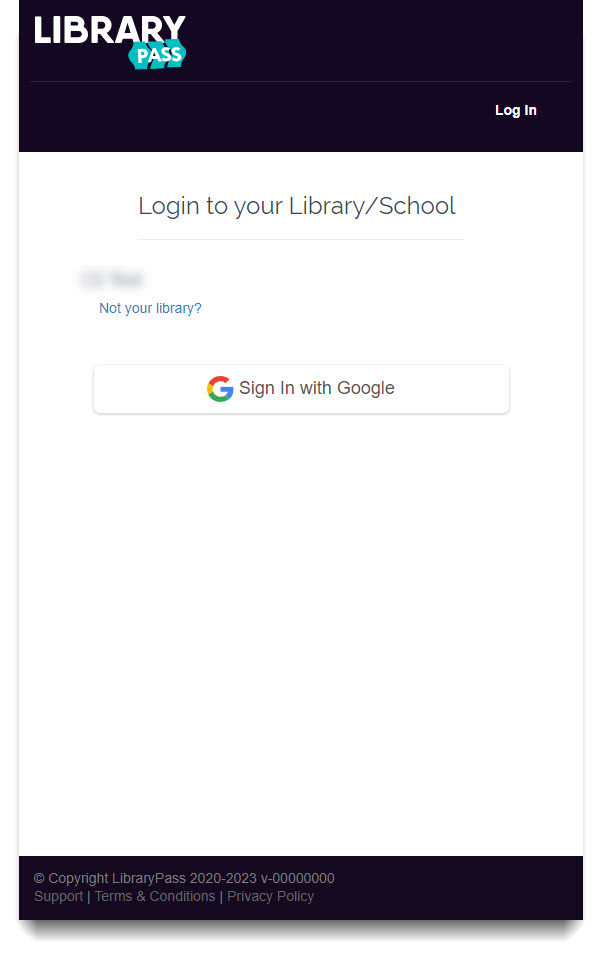
Google (OAuth) allows users to access Comics Plus by signing in with their School approved gmail accounts.
Log In Steps:
The user must access the School/Library's Unique Comics Plus URL to sign up.
If you do not have your school/library's specific URL please contact support at help@joyfulreading.com.
1. From your School/Library's unique Comics Plus URL - Click "Sign In With Google"
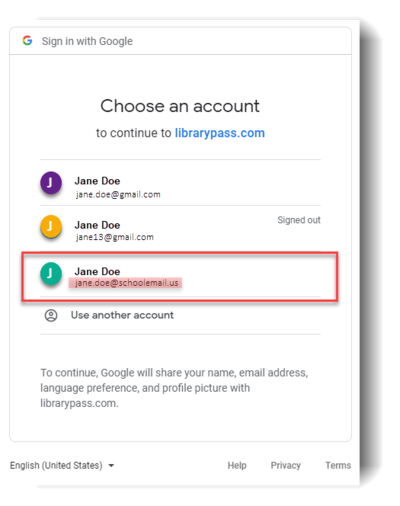
2. Select your School/library's email account
3. You're now logged in and ready to read thousands of Comic Books and Graphic Novels!
Click on the video below to see how to navigate through the collection!
Back to Single Sign-On | Back to top
Microsoft 365 OAuth
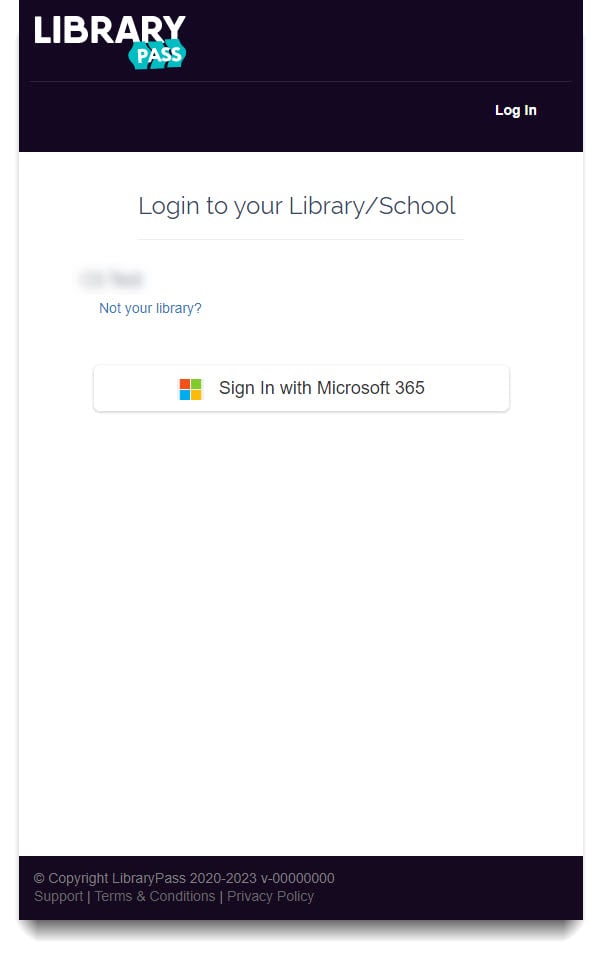
Microsoft 365 (OAuth) allows users to access Comics Plus by signing in with their School approved Microsoft email accounts.
Log In Steps:
The user must access the School/Library's Unique Comics Plus URL to sign up.
If you do not have your school/library's specific URL please contact support at help@joyfulreading.com.
1. From your School/Library's unique Comics Plus URL - Click "Sign In with Microsoft 365"
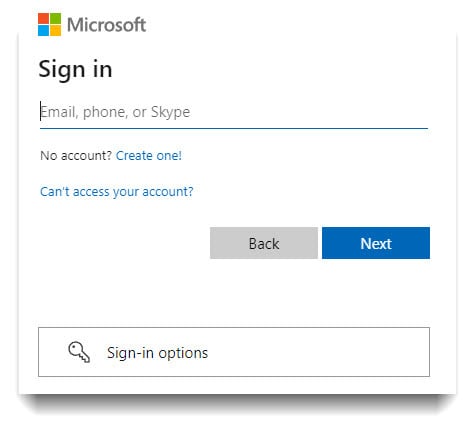
2. Sign in using your School/Library's approved Microsoft 365 email account
3. You're now logged in and ready to read thousands of Comic Books and Graphic Novels!
Click on the video below to see how to navigate through the collection!
Back to Single Sign-On | Back to top
SAML
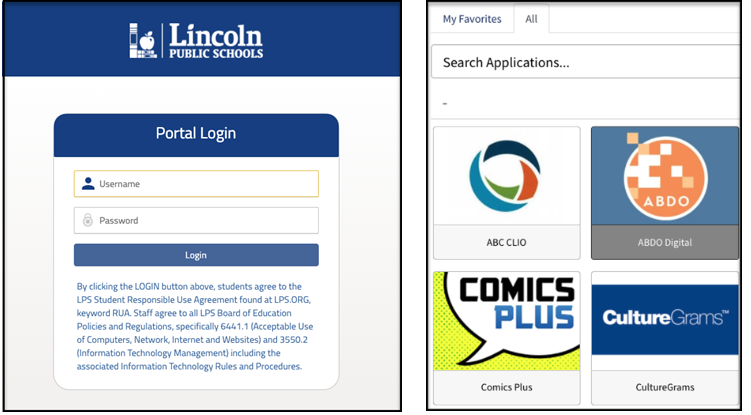
SAML authentication allows students to log into their existing school portal and directly visit your Comics Plus website link with no additional login steps.
Click on the video below to see how to navigate through the collection!
Back to Single Sign-On | Back to top
Classlink
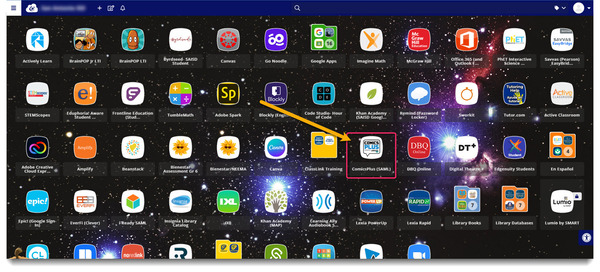
Classlink authentication allows students to log into their Classlink Portal, click on the Comics Plus icon and seamlessly log into their individual Comics Plus accounts, no additional steps.
Click on the video below to see how to navigate through the collection!
Feeling overwhelmed? Ask for Help!
Please submit a ticket, and we will be happy to talk through these options with you and help you decide what fits best with your Library and Patrons!