If you don't remember your password, you have two options:
Option One:
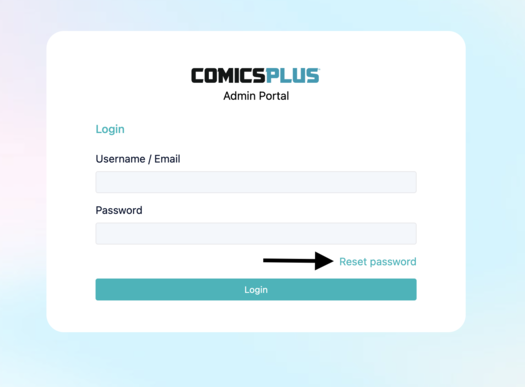
On the login page, click "Reset Password". You'll be asked to enter your Username or Email, then click "Reset". If your email address is on file, a password reset link will be sent to your email.
Option Two:
If your email address isn't on file or you aren't sure of your username, please reach out to our support team. You can do so by submitting a ticket or by emailing us directly at help@joyfulreading.com.
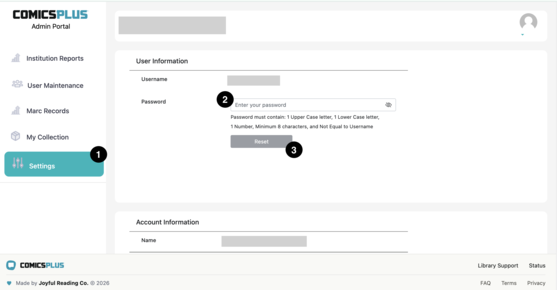
If you know your password, but want to change it, follow the steps below:
1. Log in to the Admin Portal and go to "Settings" in the left-hand navigation pane
2. Under "User Information," input your new password in the "Password" field, then click "Reset".